FoodFit
A high school Android app that points a camera at a plate and tells you what is on it. The first project that taught me to finish things before adding to them.
One good question, and far too many answers.
The question was worth building around: what if your phone could look at your meal and tell you what was in it? I'd started paying attention to what I ate, kept wondering what the numbers actually were, and it turned into a group project none of us were qualified to attempt.
What went wrong is visible in the feature list. Food recognition, calorie estimates, recipes, to-do lists, goal tracking, accounts. Every idea sounded reasonable in a planning meeting, and each one was a project. We built the breadth and ran out of the two months before any single piece finished. The recognition screen predicts a class and stops; the recipes page never got the nutrition data that was the entire point of recognizing food.
What four high schoolers actually shipped.
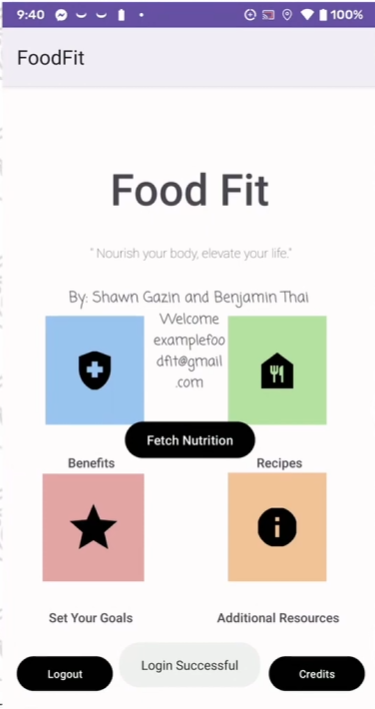
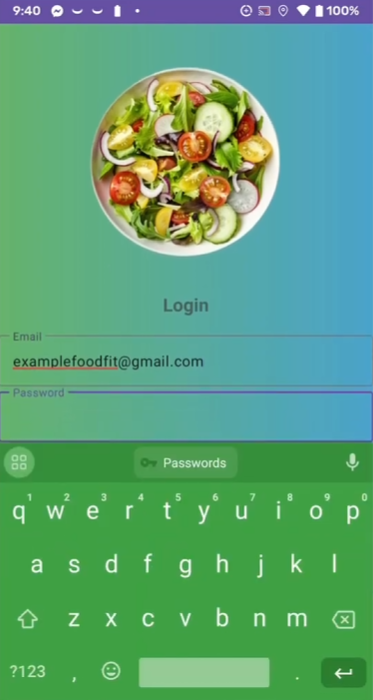
Firebase email and password sign-up and sign-in, with a session check on launch that skips the login screen when someone is already signed in. This is the one system that is genuinely finished.
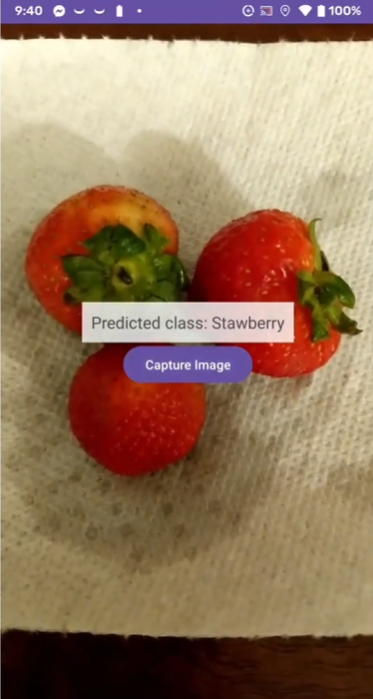
Take a photo, send it to a recognition service, print what comes back. My teammate owned the model side; the screen in this repo is the HTTP version of it, and it stops at displaying the raw response.
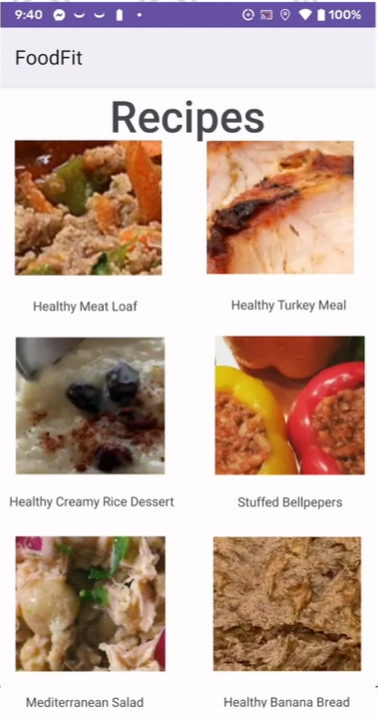
Nine activities of recipes, goals, benefits, credits, and curated links, each one a screen that works and none of them wired to the others or to any stored data.
Team of four: Shawn Gazin, Minh Tran, Matthew Dinh, and me. Java against the Android SDK on API 24+, submitted to the 2023 Congressional App Challenge. We didn't place.
Nine activities and an Intent between each pair.
There is no architecture here to describe, and that is itself the accurate description. Every screen is an Activity, every navigation is an explicit Intent, and several of the handlers are hooked up through android:onClick attributes in XML rather than in code. No fragments, no view models, no repository layer. The app is exactly the sum of its screens.
That shape came from what we knew. We had just finished AP Computer Science A, so Java and Android Studio were the tools within reach, and the Android docs teach activities first. It works, and it holds together at nine screens; the seams show anywhere state has to outlive a single screen, which is most of the places a health app actually needs.
The one part with real plumbing is auth. SignInPage checks FirebaseAuth for a current user in onStart and jumps straight to the home screen if there is one, HomeActivity bounces back to the login screen if there isn't, and sign-out clears the session and finishes the activity so back doesn't return to it. It's a small loop and it's closed, the only place in the app where I thought about what happens on the second launch.
Three screens, three levels of finished.
Auth, start to finish
Register with a client-side six-character minimum, sign in, stay signed in across launches, sign out into a cleared back stack. Firebase does the hard part, but the flow around it is complete.
Recognition, stopped at the response
The camera intent returns a thumbnail, the bitmap is compressed to JPEG and posted on a background executor, and the reply is dropped into a TextView as raw text. Nothing parses it, so nothing can use it.
Goals, alive only while the screen is
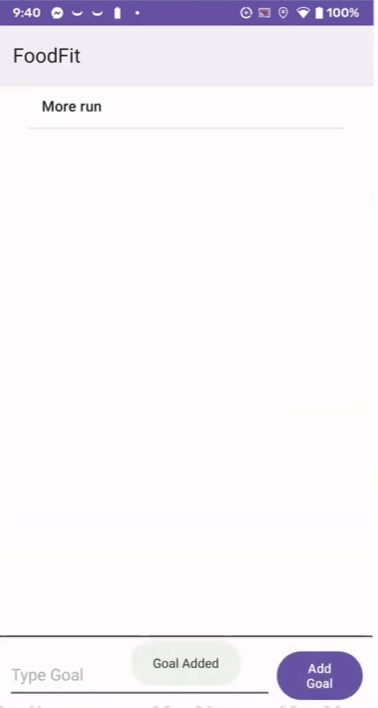
An ArrayList behind an ArrayAdapter, add by button, long-press to complete. It never touches storage, so a rotation or a back press empties it. That's the bug that taught me Android state has to be designed for.
What we chose, mostly for reasons that were true at the time.
 ▶Watch on YouTube ↗

What it cost, looking at the code now.
Adding screens instead of finishing them
CostNine activities, and the thing the app was named for never completes. Recognition returns a string nobody reads, the recipes carry no nutrition data, and goals don't survive leaving the page. One finished feature would have demoed better than six sketched ones, and the judging was on the demo.
Building the UI before deciding where data lived
CostThere is no storage layer anywhere in the app except Firebase's session. Goals are an in-memory ArrayList; the recognition result is a TextView. Every screen would have needed reworking to persist anything, which is why nothing does.
Leaving the scaffolding in
CostThe recognition screen is still locked to landscape and still carries the Android TV banner and the label 'Leanback APIActivity' from the template it was generated out of. A start screen activity sits in the source with no manifest entry. Glide is in the dependency list and imported nowhere. None of it breaks the build, and all of it is a note to myself about cleaning up as I go.
We spent the last stretch of the two months trying to close features, so the submission video got made in whatever was left. That felt like a scheduling mistake at the time and I've since decided it wasn't. It was the same mistake as everything else, arriving at the end. We had optimized the whole project for the number of things that existed rather than for what we could show working, and a demo is a forcing function that only rewards the second one. Nobody judging the Congressional App Challenge could see the six features we'd started. They could see the two minutes we had left to explain them. Now I build the thing I would show first, and let the rest of the plan survive contact with that.
What I'd do if I rebuilt it.
Ship recognition alone. Photograph a plate, identify it, show real nutrition numbers against it, and stop. That's the app. Recipes, goals, and resources were all easier to build than the one feature the idea depended on, which is precisely why they got built first.
Put the data model before the screens. Goals in a real store instead of an ArrayList, recipes as records instead of six hardcoded links, and the recognition response parsed into something structured. None of that is a UI change, which is why none of it happened when I was thinking screen-first.
Take the camera's full-resolution photo rather than the thumbnail the capture intent hands back in its extras. That thumbnail is a few hundred pixels wide, and we were sending it to something being asked to identify food.