Prelegal
A drafting tool that turns a conversation into a finished agreement: the assistant asks the questions, fills the cover page, and hands back a PDF.
The document is standard. Getting one filled in isn't.
An NDA between two companies is the same document every time with a handful of details swapped out. So are service agreements, DPAs, and pilot agreements. The terms have been standardized in public for years, and Common Paper publishes the whole set under CC BY 4.0. Getting one usually still means paying for a lawyer's time, or opening a Word template and hoping nothing was left in it from the last party who used it.
The obvious fix is a form, and a form is where this started. It's also where it stops being useful: a Professional Services Agreement cover page asks for a general liability cap and a chosen-courts jurisdiction, and a founder who knows exactly what they want the agreement to do doesn't necessarily know which box that goes in. The questions are answerable in plain English long before they're answerable in form fields.
What the tool has to get right.
The legal text is never generated. Standard terms come out of the template files exactly as published, and the model's entire remit is the cover page: the parties, dates, caps, and jurisdictions that vary between two copies of the same agreement.
Each turn comes back as a typed schema, not prose, and the schema is the one belonging to the document being drafted. A model working on an SLA cannot return a field an SLA doesn't have.
Nothing here is legal advice, and the product says so where it can't be missed: a banner under the header on every signed-in page, and a DRAFT — SUBJECT TO LEGAL REVIEW block on page one of the document that travels into the downloaded PDF.
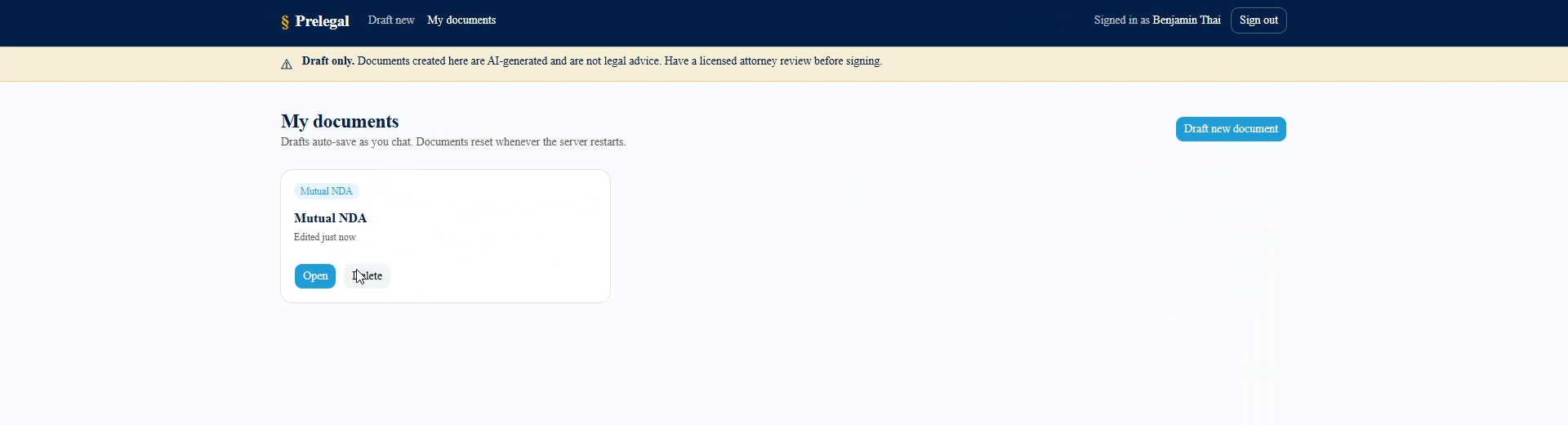
Templates are Common Paper's standard terms (CC BY 4.0) — eleven document types, from the Mutual NDA through DPAs, BAAs, and an AI addendum. This is V1: the SQLite database is dropped and recreated on every container start, so accounts and drafts live for the lifetime of one container. That's the ticket's design, not an oversight.
Chat all the way down, routing included.
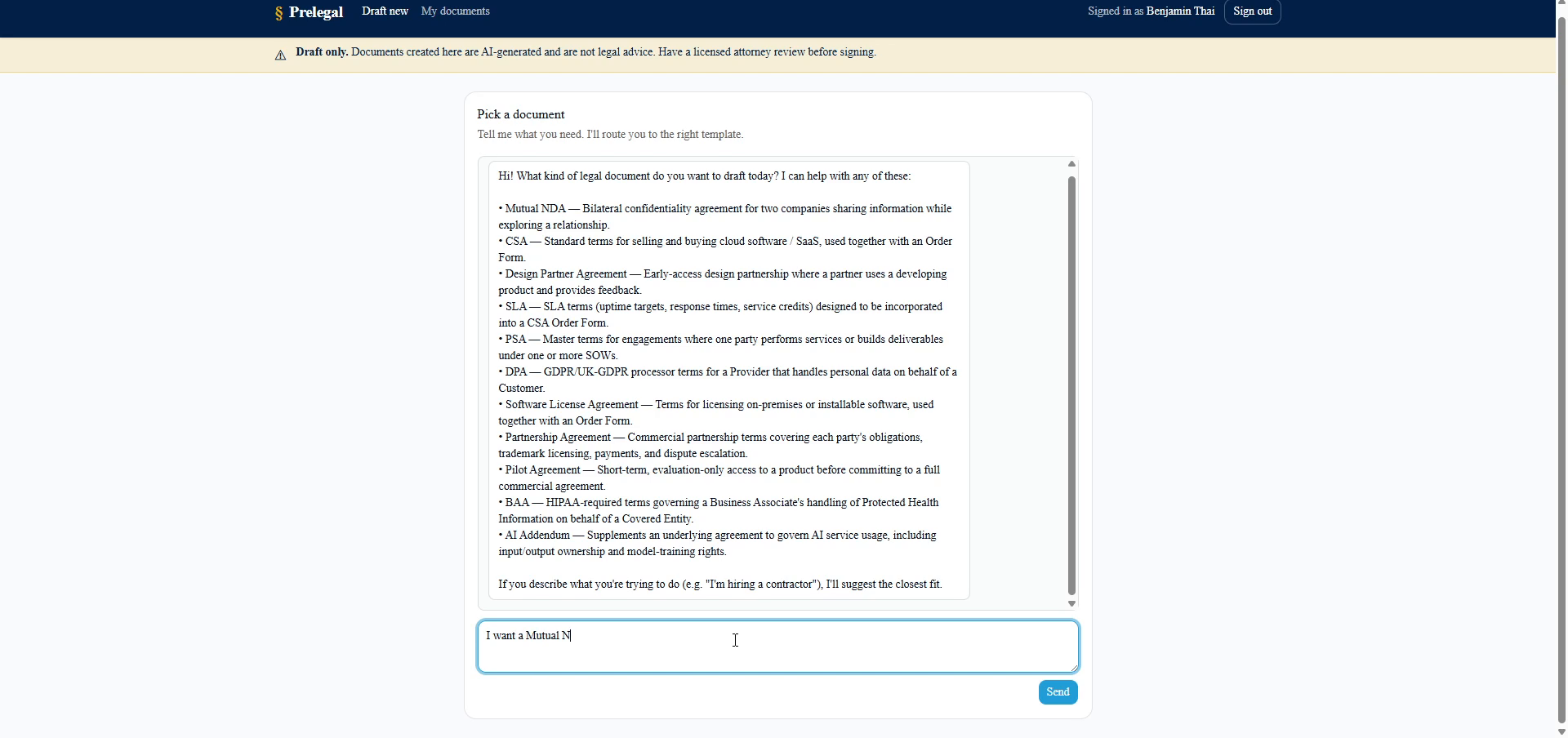
There is no document picker. The first screen is a chat that asks what you're trying to do, matches it against the catalog, and only hands you off to a creator once you've confirmed a choice, so a request for something unsupported gets the closest real template with a one-line reason instead of a dead end.
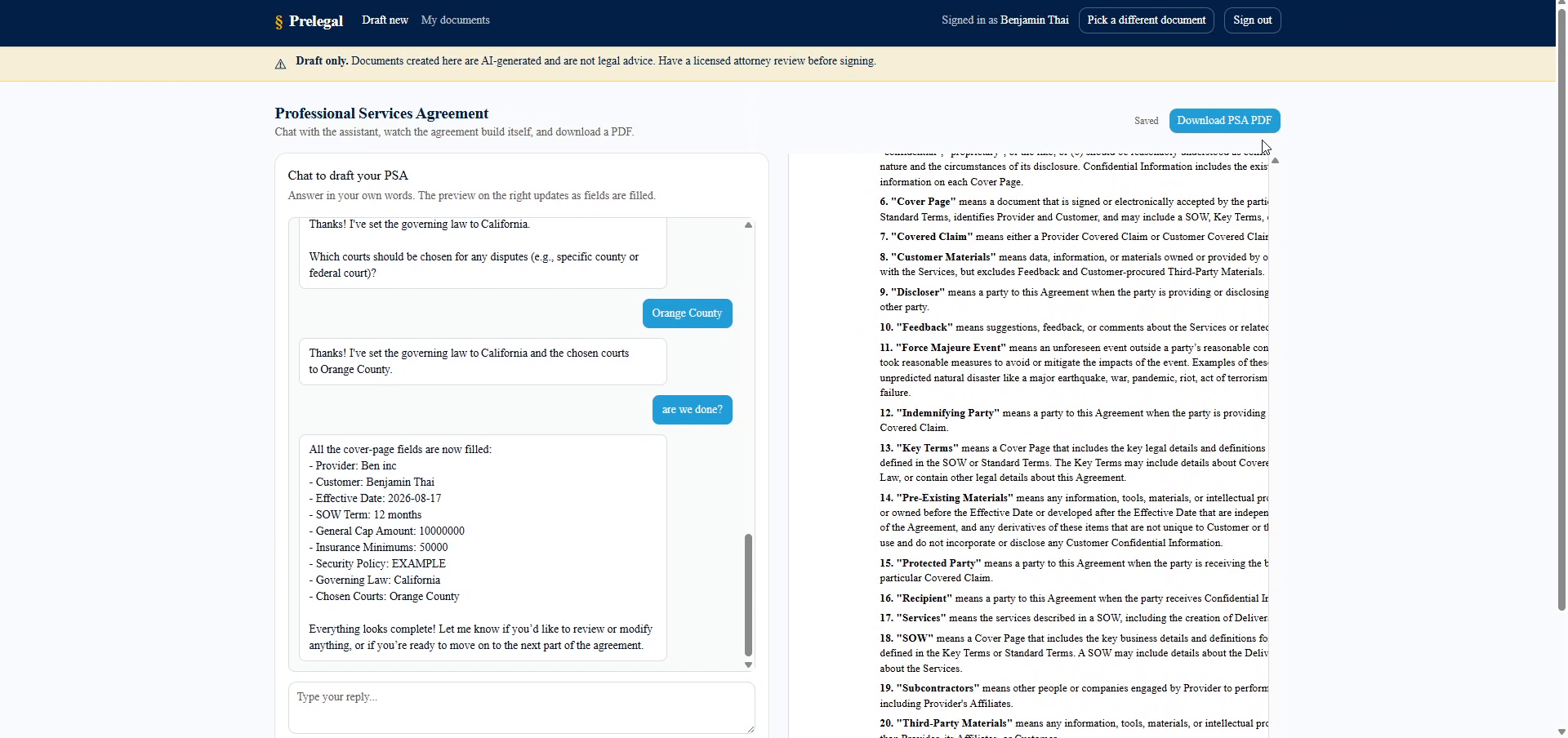
Once a document is chosen, the same pattern continues: the assistant asks for one or two fields at a time and the preview on the right fills in as you answer. What the model returns is not the document. It's a partial update to the cover page, merged into the React state that the preview and the PDF both render from. The standard terms sitting underneath that cover page are the template, untouched.
The whole thing ships as one container: a statically exported Next.js frontend served by FastAPI, with SQLite behind it. One port, one process, one command to start.
Three stages, one endpoint.
Chat picks the template
With no document chosen, /api/chat runs in selector mode: the catalog is rendered into the system prompt and the model returns a reply plus a document id, left null until the user actually agrees to one.
Structured output per document
Once a document is set, the same endpoint binds the model to that document's own Pydantic schema, built at request time, and returns a reply plus a partial field update.
PDF from the preview itself
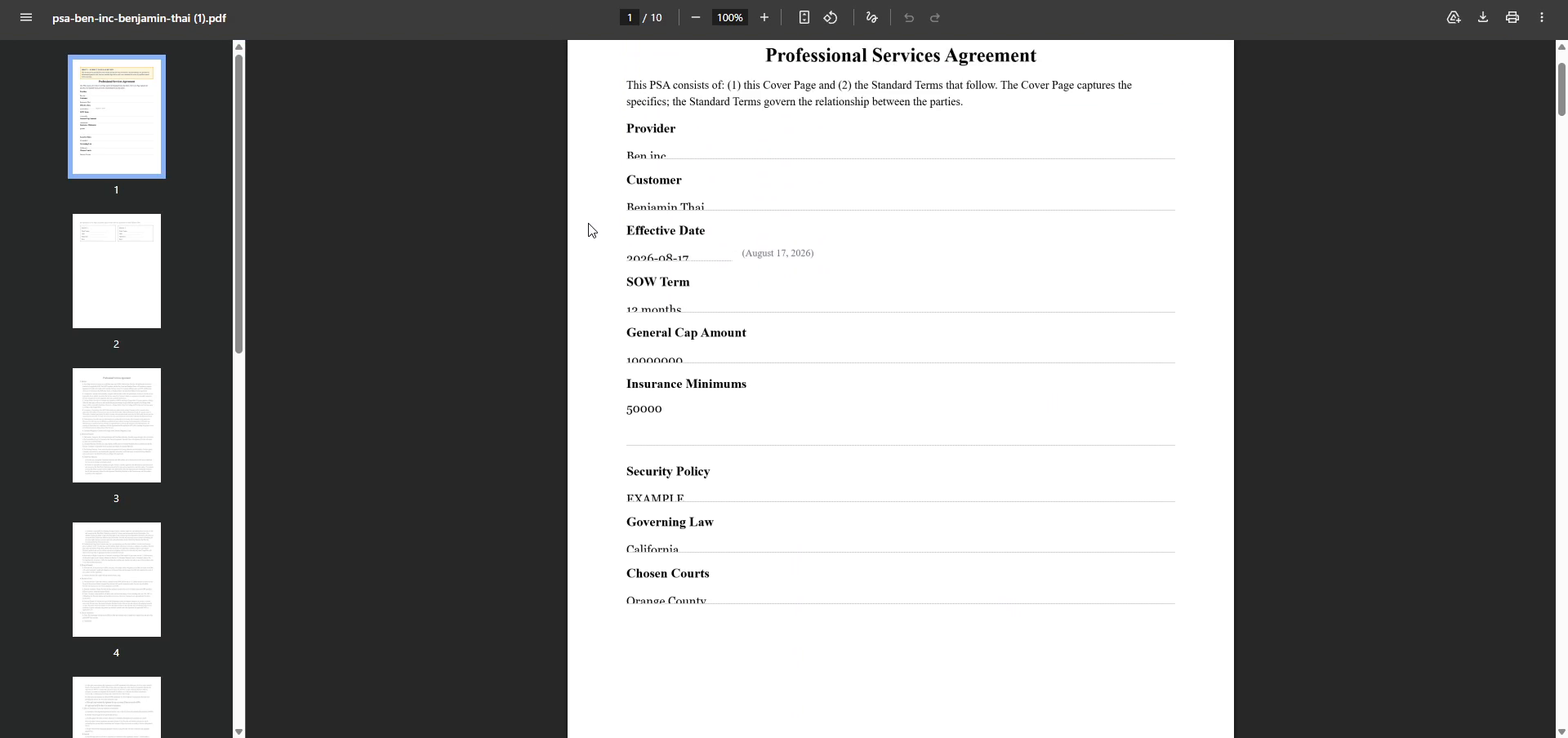
The rendered preview is rasterized in the browser and paginated block by block into a letter-size PDF, so what downloads is exactly what was on screen.
From a sentence to a field in the document.
One POST to /api/chat carries the whole conversation, the current field state, and the document id. That last value decides which of three shapes the answer has to take.
Dispatch on the document id
A null id means the user hasn't chosen yet, and the request runs against the selector schema. The Mutual NDA (the first document built, and the only one with a hand-written preview) keeps its own richer schema, with nested party objects and term types like “until terminated” that don't reduce to strings. Everything else takes the generic path. Three modes, one route, and no second implementation of the conversation loop.
Build the schema for this document, now
For a generic document, the response model is constructed per request with pydantic.create_model: every cover-page field becomes an optional string on an updates object, wrapped in a model carrying the reply and the next question. That schema is what the model is bound to, so the fields a Pilot Agreement can return are the fields a Pilot Agreement has, enforced by the parser rather than by asking nicely in the prompt.
Ask for a reply and a patch, not a document
The prompt carries the current field state as JSON and instructs the model to include a field only when the user has just supplied it, never to invent one, and to ask one or two questions at a time. The call goes out through LiteLLM to OpenRouter with the provider pinned to Cerebras, at low reasoning effort. This is extraction and phrasing, not deliberation, and the turnaround is what makes the preview feel like it's tracking the conversation.
Guarantee there's a question to answer
Before returning, the backend merges the turn's updates over the client's state the same way the UI will, and checks which required fields are still blank. If work remains and the reply contains no question mark, it appends the model's own nextQuestion, or generates one naming the next empty field. The prompt asks for a closing question; this is the part that makes sure there is one.
Merge, save, and eventually print
The frontend overwrites only the keys present in the update, the preview re-renders, and an 800ms debounced upsert writes the draft to SQLite, the first save creating the row and later ones updating it through an id held in a ref, so a long conversation leaves one document behind rather than forty. When the user asks for the PDF, that same preview DOM is what gets exported.
Choices behind the drafting flow.

What I chose, and what it cost.
A database that resets on every container start
CostAccounts and drafts live exactly as long as the process does. It's deliberate for V1, with no migrations to maintain while the document model is still moving, but it's also the single thing standing between this and something a real user could rely on.
Rasterizing the preview into the PDF
CostThe export is pixel-identical to what's on screen and needs no second layout engine, but the text in the resulting PDF is an image: not selectable, not searchable, not copyable into a redline. Laying the PDF out from the field data would fix that and would mean maintaining two renderers that must never disagree.
The exporter walks the preview's marked blocks, measures each one, and places it on the page, starting a new page when a block won't fit. A block taller than a whole page takes a different path: it gets pasted at shifted offsets across as many pages as it needs, which is fine for an image and ruinous for prose, because the seams land wherever they land. The Mutual NDA looked perfect throughout, because its terms are hand-written JSX split into about twenty blocks. The other ten documents render their terms from markdown, and the renderer wrapped the entire thing in one block. On the Cloud Service Agreement that was a single 7288-pixel block against 912 pixels of usable page: eight tiles, seven page boundaries, every one of them slicing through a line. The fix was to stop treating the terms as one object: each clause became its own block, so the planner could break between clauses instead of through them. That exposed two more problems. Blocks could now nest, and a nested one was captured twice, once alone and once inside its parent, so collection had to keep only the outermost. And rasterizing 121 blocks individually meant 121 full-document clones, since html2canvas copies the whole DOM per call; rendering each page section once and slicing the blocks out of that one bitmap brought it to about 220ms. Slices are cut at the section's content width rather than each block's own, so an indented sub-clause stays indented instead of being stretched to the full column. The CSA now exports as 121 blocks, tallest 201 pixels, and never reaches the tiling path at all.
Where I'd take it.
Make the data survive a restart, with a durable volume and versioned migrations instead of dropping every table on startup. It's the one deliberate limitation that has to go before anyone can keep a draft.
Persist the conversation, not just the fields. Reopening a saved document restores the document and starts a blank chat, so the assistant has no memory of why anything in it says what it says.
Lay the PDF out from the field data rather than rasterizing the preview, so the exported agreement carries real text: selectable, searchable, and pasteable into whatever the other side redlines it in.